CLI Tool Usage Guide
1. Select the program to encrypt and configure obfuscation options.
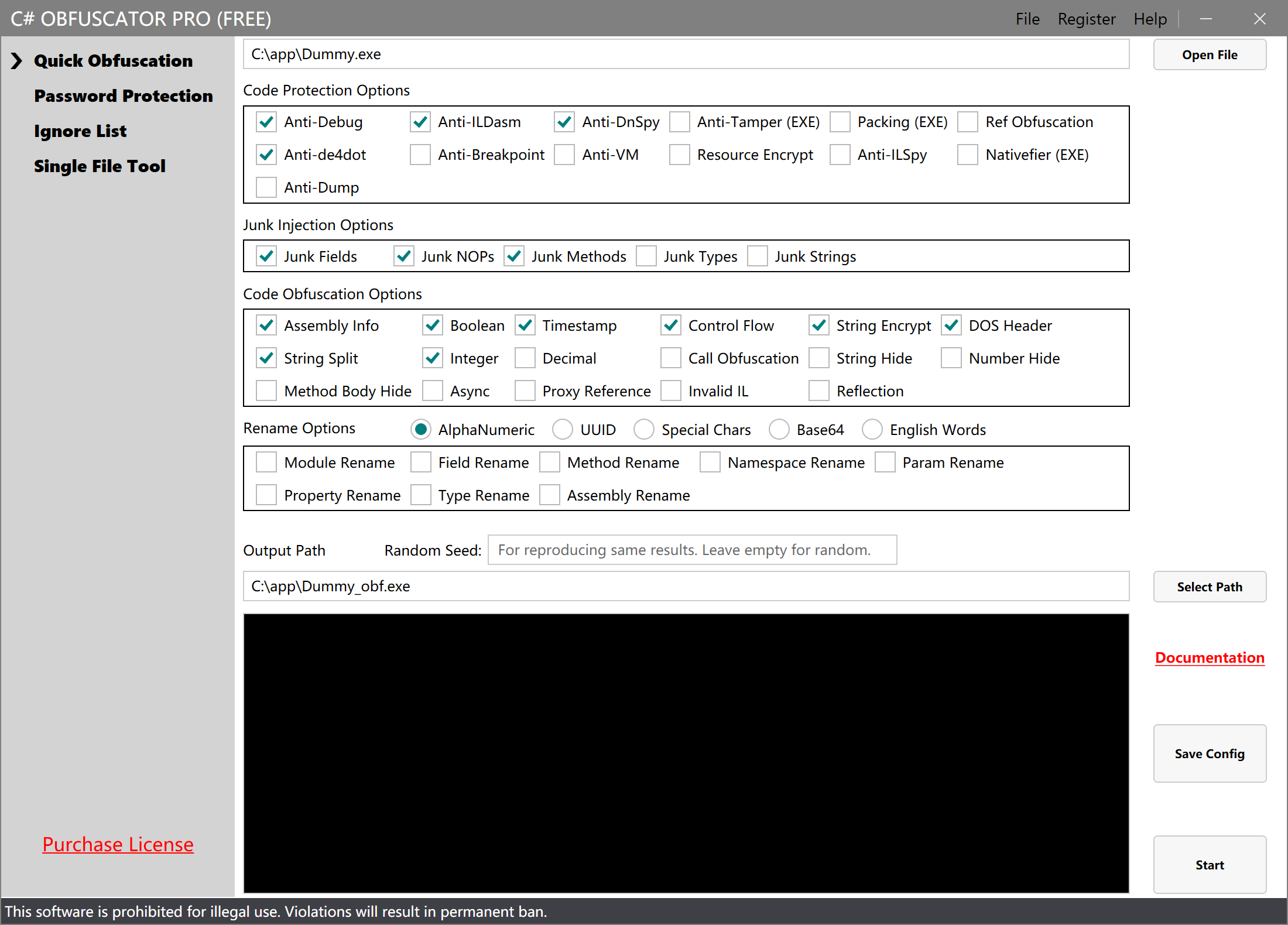
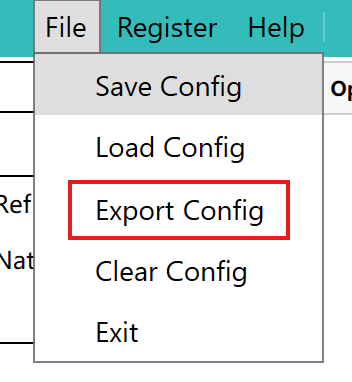
2. Export the Configuration File
In the top-right menu of the software interface, select File > Export Config and save the configuration file locally. For example, save it as C:\app\config.csop.
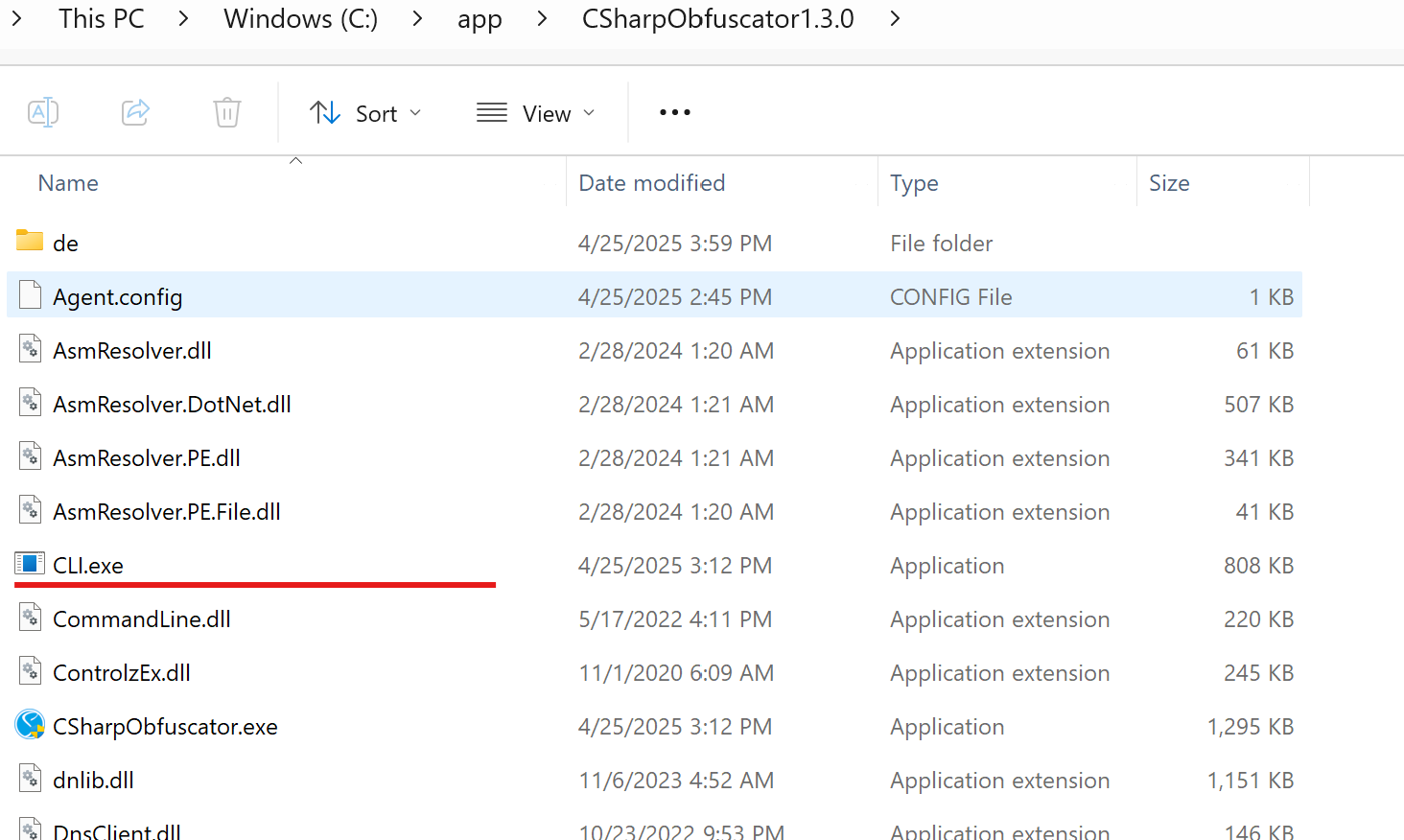
3. Locate the CLI Tool
Find the CLI tool CLI.exe in the software installation directory. For example: C:\app\CSharpObfuscator1.3.0\CLI.exe.
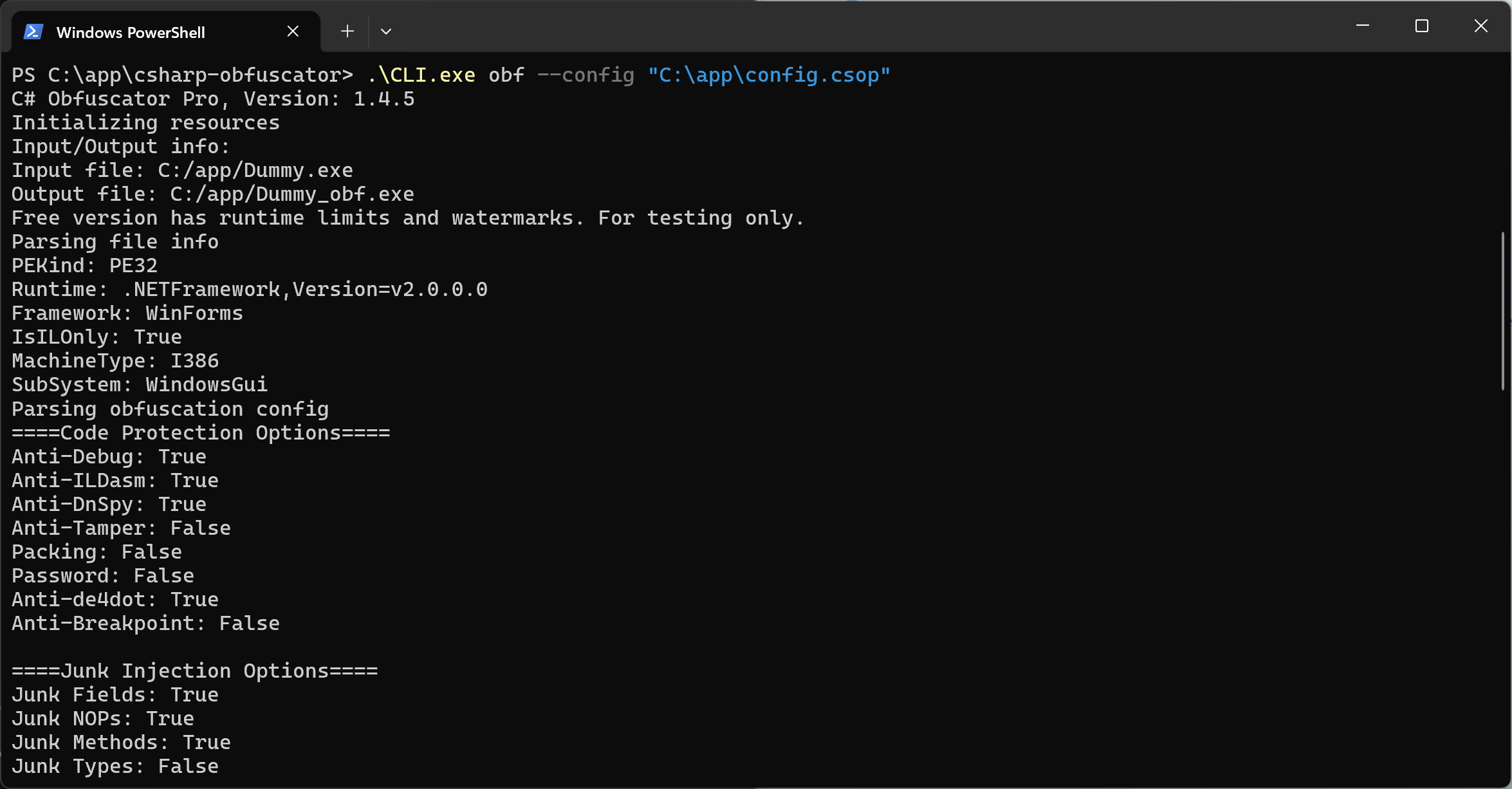
4. Run CLI Obfuscation
Open a command prompt (cmd) and enter the following command to obfuscate the program:
Basic usage:
C:\app\CSharpObfuscator1.4.5\CLI.exe obf --config C:\app\config.csop
Advanced usage (override paths from config file):
C:\app\CSharpObfuscator1.4.5\CLI.exe obf --config C:\app\config.csop --input C:\app\MyApp.exe --output C:\app\MyApp_obf.exe
Note: The obf prefix is optional — the following command is equivalent:
C:\app\CSharpObfuscator1.4.5\CLI.exe --config C:\app\config.csop
After processing, the obfuscated program is saved to the specified output path. The detailed output is shown below:
5. Output File Location
After obfuscation completes, the processed program is stored at the configured output path, as shown below:

Configuration File Reference
The configuration file config.csop is in JSONC format with inline comments to help you customize it. Below is a sample:
{
    // Path to the DLL or EXE to encrypt
    "ModulePath": "C:/app/Dummy.exe",

    // Output file path
    "OutputPath": "C:/app/Dummy_obf.exe",

    // Anti-debug: true = enabled, false = disabled
    "AntiDebug": false,

    // Anti-ILDasm: true = enabled, false = disabled
    "AntiILDasm": true,

    // Anti-DnSpy: true = enabled, false = disabled
    "AntiDnSpy": false,

    // Anti-tamper: true = enabled, false = disabled
    "AntiModify": false,

    // Packing: true = enabled, false = disabled
    "AddShell": false,

    // Reference list obfuscation: true = enabled, false = disabled
    "DupTypeRef": false,

    // Anti-de4dot: true = enabled, false = disabled
    "AntiDe4dot": false,

    // Anti-breakpoint: true = enabled, false = disabled
    "AntiBreakPoint": false,

    // Anti-VM: true = enabled, false = disabled
    "AntiVM": true,

    // Encrypt resource files: true = enabled, false = disabled
    "ResourceProtect": false,

    // Anti-ILSpy: true = enabled, false = disabled
    "AntiILSpy": false,

    // Nativify EXE: true = enabled, false = disabled
    "Nativefier": false,

    // Anti-memory dump: true = enabled, false = disabled
    "AntiDump": false,

    // Junk fields: true = enabled, false = disabled
    "JunkField": false,

    // Junk NOPs: true = enabled, false = disabled
    "JunkNop": true,

    // Junk methods: true = enabled, false = disabled
    "JunkMethod": false,

    // Junk types: true = enabled, false = disabled
    "JunkType": false,

    // Junk strings: true = enabled, false = disabled
    "JunkString": false,

    // Assembly info obfuscation: true = enabled, false = disabled
    "AssemblyConfusor": true,

    // Boolean obfuscation: true = enabled, false = disabled
    "BooleanConfusor": true,

    // Timestamp obfuscation: true = enabled, false = disabled
    "TimeConfusor": false,

    // Control flow obfuscation: true = enabled, false = disabled
    "ControlFlowConfusor": false,

    // String encryption: true = enabled, false = disabled
    "StringConfusor": false,

    // DOS header obfuscation: true = enabled, false = disabled
    "DosHeaderConfusor": false,

    // String splitting: true = enabled, false = disabled
    "StringSplitConfusor": true,

    // Integer obfuscation: true = enabled, false = disabled
    "IntConfusor": false,

    // Decimal obfuscation: true = enabled, false = disabled
    "DecimalConfusor": false,

    // Call obfuscation: true = enabled, false = disabled
    "CalliConfusor": false,

    // String hiding: true = enabled, false = disabled
    "HideStringConfusor": false,

    // Integer hiding: true = enabled, false = disabled
    "HideIntConfusor": false,

    // Method body hiding: true = enabled, false = disabled
    "HideMethodBodyConfusor": false,

    // Async obfuscation: true = enabled, false = disabled
    "AwaitConfusor": false,

    // Proxy call obfuscation: true = enabled, false = disabled
    "ProxyRefConfusor": false,

    // Invalid method body obfuscation: true = enabled, false = disabled
    "InvalidILConfusor": false,

    // Rename mode: 1 = alphanumeric, 2 = UUID, 3 = special chars, 4 = Base64, 5 = English words
    "RenameMode": 1,

    // Module rename: true = enabled, false = disabled
    "ModuleRename": false,

    // Field rename: true = enabled, false = disabled
    "FieldRename": false,

    // Method rename: true = enabled, false = disabled
    "MethodRename": false,

    // Namespace rename: true = enabled, false = disabled
    "NamespaceRename": false,

    // Parameter rename: true = enabled, false = disabled
    "ParamRename": false,

    // Type rename: true = enabled, false = disabled
    "TypeRename": false,

    // Assembly rename: true = enabled, false = disabled
    "AssemblyRename": false,

    // Property rename: true = enabled, false = disabled
    "PropertyRename": false,

    // Random seed for controlling obfuscation randomness. Same seed = same result. Leave empty for random each time.
    "Seed": "",

    // Ignore list for methods
    "FuncIgnoreList": "TestFunc, NewClass.TestFunc, NameSpace.NewClass.TestFunc",
}
The fields in this file correspond to the options in the software UI. For more details, see Obfuscation Options Guide.
Auto-Generate Config File
If you are unfamiliar with editing the config file manually, you can select the desired obfuscation options in the software and use File > Export Config to automatically generate it.
Software Registration via CLI
You can register the software using the register command:
C:\app\CSharpObfuscator1.3.0\CLI.exe register --code your-registration-code
After successful registration, the license is saved to the system and will be used automatically for subsequent obfuscation operations.
Benefits of CLI Integration
- Automated deployment: Easily integrate into CI/CD pipelines for automatic obfuscation after build
- Batch processing: Use scripts to process multiple assemblies in bulk
- Unattended execution: Runs in the background automatically after configuration with no manual intervention
- Repeatability: Ensures consistent configuration parameters on every run
FAQ
Q: What parameters does the CLI tool support?
A: The CLI tool supports the following commands and parameters:
obf command (obfuscation):
--config <path>(required): Specifies the path to the obfuscation config file--input <path>(optional): Specifies the DLL/EXE path to encrypt, overridesModulePathin the config--output <path>(optional): Specifies the output file path, overridesOutputPathin the config
register command (software registration):
--code <code>(required): Registration code
Note: The obf command prefix is optional for backward compatibility.
Q: Can I specify obfuscation options directly on the command line?
A: Most obfuscation options must be specified via the config file, but you can use --input and --output to override input/output paths from the config. This is very useful when processing multiple files with the same obfuscation configuration.
Example:
CLI.exe obf --config config.csop --input App1.exe --output App1_obf.exe
CLI.exe obf --config config.csop --input App2.exe --output App2_obf.exe
Q: How do I use it in a batch file?
A: Create a .bat file with CLI calls, for example:
Basic batch:
@echo off
"C:\app\CSharpObfuscator1.3.0\CLI.exe" obf --config "C:\app\config.csop"
echo Obfuscation complete!
pause
Batch processing multiple files:
@echo off
set OBFUSCATOR="C:\app\CSharpObfuscator1.3.0\CLI.exe"
set CONFIG="C:\app\config.csop"

%OBFUSCATOR% obf --config %CONFIG% --input "C:\app\App1.exe" --output "C:\app\App1_obf.exe"
%OBFUSCATOR% obf --config %CONFIG% --input "C:\app\App2.exe" --output "C:\app\App2_obf.exe"

echo All files obfuscated!
pause