Complete Guide: Unpack, Encrypt, and Repack .NET Single-File Applications
This tutorial explains how to unpack, obfuscate, encrypt, and repack .NET 5, 6, 7, and 8 single-file applications (Single File Applications), helping developers effectively protect their code from decompilation and reverse engineering.
What Is a .NET Single-File Application?
A Single File Application is a modern deployment approach introduced in .NET 5 and later. It bundles a .NET application and all its dependencies (runtime libraries, third-party DLLs, config files, etc.) into a single executable (.exe). This Single File Publish approach greatly simplifies distribution and deployment — users only need to download and run one EXE file, with no need to install the .NET runtime or additional dependencies.
Advantages of Single-File Deployment
- Simplified distribution: Only one file to distribute, avoiding missing files or version conflicts
- User-friendly: End users need no dependencies installed — just download and run
- Improved security: Reduces the risk of individual files being replaced or tampered with
- Professional appearance: A single executable looks more polished and clean
Why Unpack and Repack Single-File Applications for Encryption?
Because .NET single-file apps bundle all dependencies together, traditional DLL obfuscation tools cannot directly process them. To protect a single-file program with code encryption, you must follow this workflow:
- Extract: Use a specialized tool to split the single-file application into individual files (main EXE, dependency DLLs, config files, etc.)
- Obfuscate & Encrypt: Apply obfuscation and encryption to the key extracted files to protect core algorithms and intellectual property
- Repack: Bundle the encrypted files back into a single-file application, preserving the original deployment advantages
This extract–encrypt–repack workflow is the current best practice for protecting .NET 5/6/7/8 single-file programs.
Typical Use Cases
Scenario 1: Commercial Software Code Protection — Preventing Reverse Engineering
If your commercial software is published as a .NET single-file (e.g., using dotnet publish -p:PublishSingleFile=true) and you need to protect its core code and algorithms from decompilation tools (like ILSpy, dnSpy, dotPeek), the workflow is:
- Use a specialized tool to extract the single-file EXE
- Apply deep obfuscation and encryption to the main EXE and key business DLLs
- Repack the encrypted files into a single-file app — retaining deployment convenience while gaining code protection
Applicable industries: Software companies, independent developers (ISVs), SaaS providers, desktop application developers
Scenario 2: Protecting Third-Party Dependencies — Preventing IP Theft
In some cases, your application depends on in-house core libraries or purchased commercial third-party libraries that contain important trade secrets and algorithms. By extracting, selectively encrypting core DLLs, and repacking, you can effectively prevent:
- Competitors from extracting and analyzing your core algorithms
- Unauthorized code copying and theft
- Leakage of sensitive business logic
Applicable scenarios: Financial software, medical systems, industrial control, game development, AI algorithm applications
Scenario 3: Enterprise Application Security Hardening
Internally distributed .NET single-file tools and applications require security hardening to prevent:
- Internal staff reverse-engineering to extract sensitive information (e.g., database connection strings, API keys)
- Malicious tampering with program logic
- Unauthorized redistribution or further development
The extract–encrypt–repack workflow significantly improves application security while maintaining the convenience of single-file deployment.
Complete Workflow: Extract, Encrypt, and Repack
This section explains in detail how to use C# Obfuscator Master to extract, obfuscate, encrypt, and repack .NET 5/6/7/8 single-file applications.
Step 1: Extract the Single-File Application
The extraction operation restores a packed single-file EXE to standard file structure for subsequent encryption.
-
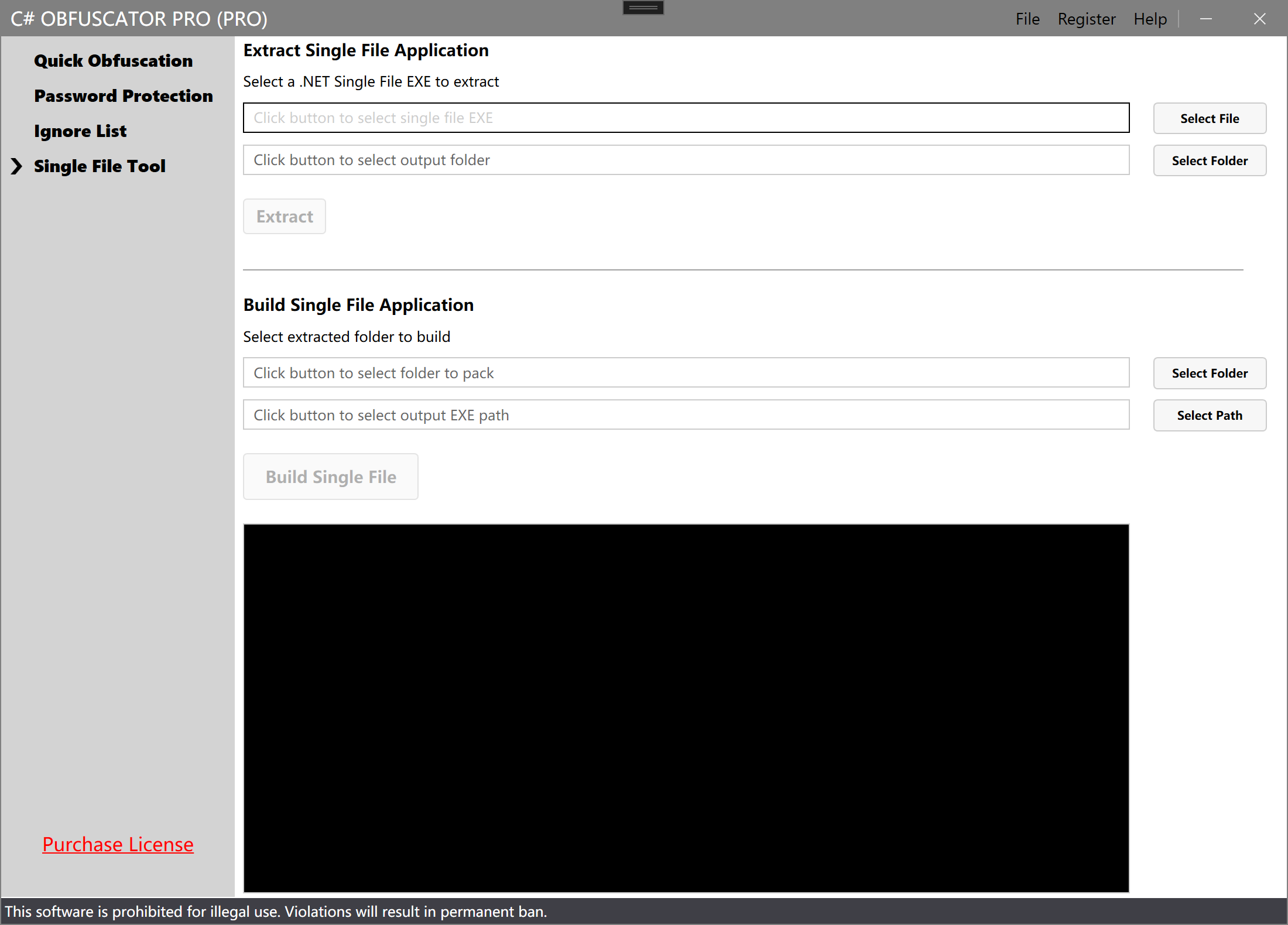
Switch to the "Single File Tool" tab in the software interface.
-
In the "Extract Single-File Application" section, click Select File and choose the single-file EXE to extract.

-
Click Extract to begin the extraction.
-
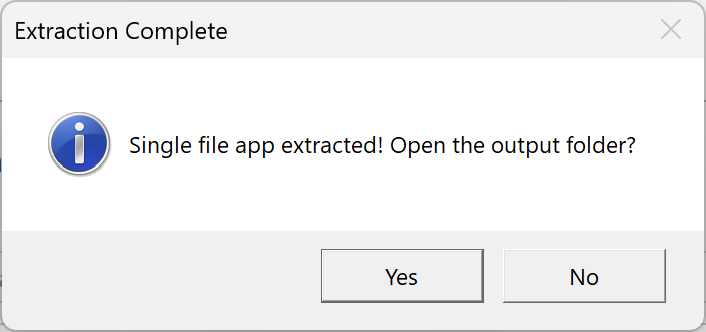
After extraction, you will see all extracted files in the output folder, including:
- Main program EXE
- Dependency DLL files
- Config files and other resources
Step 2: Obfuscate and Encrypt
After extraction, switch back to the "Quick Obfuscation" tab and process the files you want to protect:
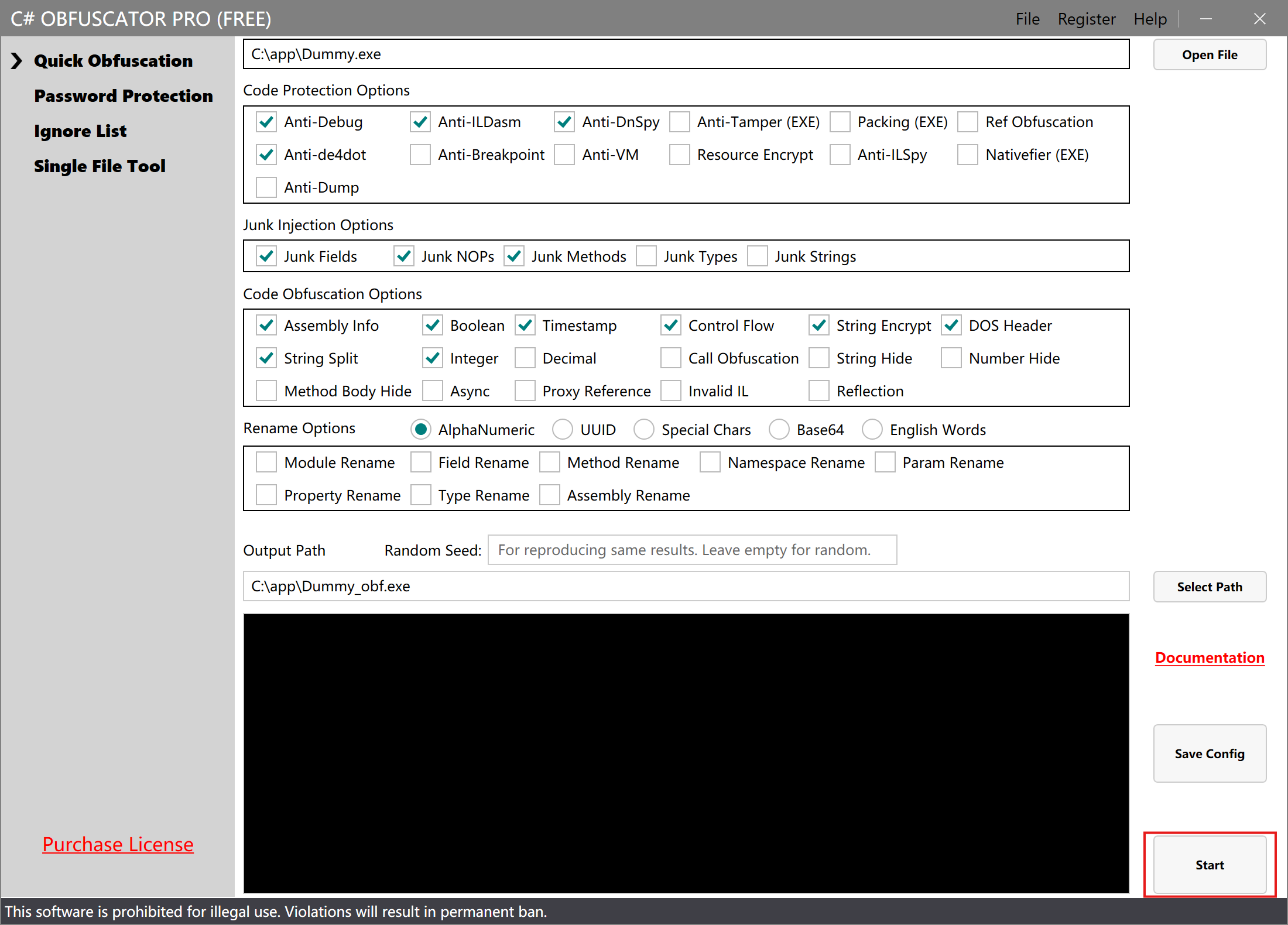
- Select the extracted main EXE or DLL files as input
- Specify the output path (save to the same folder as the extracted files, overwriting originals)
- Configure obfuscation options
- Click Start Processing
Note: If you need to encrypt multiple DLL files, repeat the above steps for each one.
Step 3: Repack the Single-File Application
After all files have been obfuscated and encrypted, return to the "Single-File Extract/Pack" tab:
-
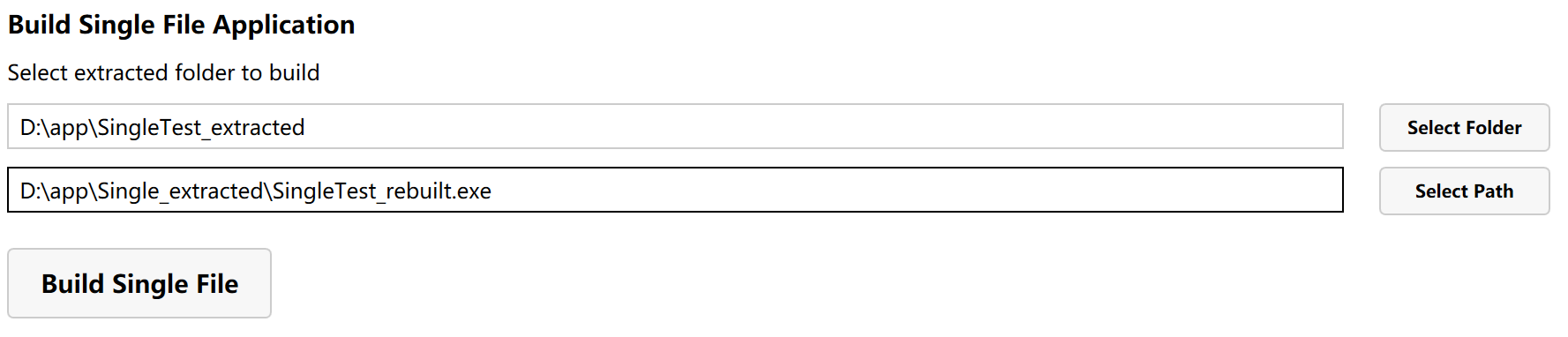
In the "Build Single-File Application" section, click Select Folder and choose the folder containing the encrypted files (the extraction output folder from Step 1).
-
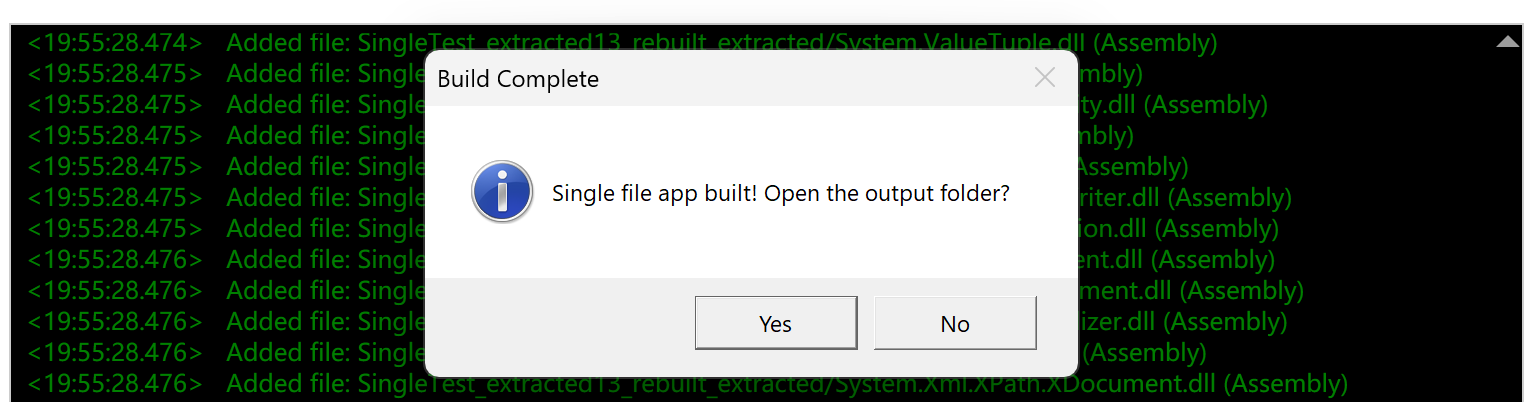
Click Build Single File to start repacking.
-
The newly generated single-file application now contains the obfuscated and encrypted code.
Preserve Original Backups
Before obfuscating and repacking, it is recommended to:
- Back up the original single-file program
- Back up the extracted folder
- Verify that the repacked program runs correctly before deleting backups
Test the Encrypted Program
After repacking, always test the new single-file program:
- Run the program in a test environment and confirm all features work correctly
- Check startup speed and runtime performance
- Use a decompiler to verify the encryption is effective
Notes
Supported .NET Versions and Publish Modes
This single-file extract/pack tool supports the following .NET single-file applications:
- .NET 5 — First version to support single-file publishing
- .NET 6 (LTS) — Long-term support, widely used in enterprise applications
- .NET 7 — Performance-optimized version
- .NET 8 (LTS) — Latest long-term support version, recommended
- .NET 9 and later — Continuously supported
Supported publish modes:
PublishSingleFile=true— Standard single-file publishIncludeNativeLibrariesForSelfExtract=true— Single file with native librariesIncludeAllContentForSelfExtract=true— Single file with all content
Not supported:
- ❌ .NET Framework 1.0 ~ 4.8 (no single-file publish support)
- ❌ .NET Core 1.0 ~ 3.1 (single-file implementation differs in 3.1 and below)
Note: If your project uses third-party merge tools (e.g., ILMerge, Costura.Fody, LibZ) instead of .NET native single-file publish, this tool does not apply.
File Structure After Extraction
The extracted folder typically contains:
- [AppName].exe — Main executable
- [AppName].dll — Main program DLL (if present)
- Dependency DLLs — Various third-party and .NET runtime libraries
- [AppName].runtimeconfig.json — Runtime configuration file
- [AppName].deps.json — Dependency manifest
- Other resource files — Config files, static assets, etc.
Files NOT Recommended for Encryption (Important)
To ensure the repacked single-file program runs correctly after encryption, the following types of files should NOT be obfuscated:
1. .NET Runtime and Framework Libraries
Do not encrypt these system libraries:
System.*.dll— e.g., System.Runtime.dll, System.Linq.dllMicrosoft.*.dll— e.g., Microsoft.Extensions..dll, Microsoft.AspNetCore..dllnetstandard.dll— .NET Standard librarymscorlib.dll— .NET Framework core library (if present)
Reason: These are core .NET runtime libraries. Encrypting them will cause crashes or startup failures.
2. Common Open-Source Third-Party Libraries
Encrypt these types of libraries with caution:
- Serialization libraries: Newtonsoft.Json.dll, System.Text.Json.dll, etc. (may depend on reflection)
- ORM frameworks: Entity Framework Core, Dapper, etc. (heavy use of reflection and dynamic code generation)
- Dependency injection containers: Autofac, Microsoft.Extensions.DependencyInjection, etc.
- Logging frameworks: NLog, Serilog, log4net, etc.
- Reflection-heavy libraries: AutoMapper and similar libraries that rely heavily on reflection
Reason: Some third-party libraries have special requirements on code structure (e.g., accessing types and members via reflection). Encrypting them may cause functional issues. If you need to encrypt them, validate thoroughly in a test environment first.
3. Config Files and Resource Files
Do not encrypt:
appsettings.json— Application configuration*.runtimeconfig.json— Runtime configuration*.deps.json— Dependency manifestweb.config— Web application configuration- Images, fonts, and other static resource files
Reason: These files contain no executable code and do not need to be encrypted. Encrypting them may prevent the program from correctly reading its configuration.
Recommended Files to Encrypt
Prioritize protecting these files:
- ✅ Your own main program EXE
- ✅ Your own business logic DLLs
- ✅ Modules containing core algorithms
- ✅ Components containing trade secrets
- ✅ Proprietary code that must be protected from reverse engineering
Encryption principle: Only encrypt modules whose source code you own and need to protect. Leave third-party and system libraries untouched.
FAQ
Q: I can't find the main DLL files after extracting the single-file EXE?
A: This may be caused by:
- Not a true single-file application: Some programs appear as a single EXE but were packaged using tools other than .NET 5+ native single-file publish (e.g., ILMerge, Costura.Fody)
- Special compression used: The publish process used compression options or other packaging tools
Solutions:
- Confirm the program was published with
PublishSingleFile=truein .NET 5/6/7/8 - Check the publish configuration for any additional obfuscators or packaging tools
- Use
dotnet --infoto check the program's .NET version
Q: The repacked single-file program fails to run or errors out?
A: This is usually caused by:
- System runtime libraries were encrypted: Accidentally encrypting .NET runtime libraries (e.g.,
System.*.dll,Microsoft.*.dll) prevents the program from starting - Obfuscation configuration too aggressive: Some aggressive options (control flow obfuscation, string encryption, etc.) may corrupt the program's normal structure
- Missing required files: Some config files or dependencies were omitted during repacking
- File path issues: Different folder structures were used for extraction and repacking
Solutions:
- First try repacking without encrypting anything to verify that the extract/repack process itself works
- Encrypt one file at a time and test the program after each step
- Only encrypt your own business logic DLLs — leave third-party and system libraries untouched
- Start with conservative obfuscation settings, verify, then gradually increase protection strength
Q: The repacked single-file is significantly larger — how to optimize?
A: Some size increase is expected. Common causes:
- Protection code added by obfuscation: Obfuscation injects protection logic — a 5–15% size increase is normal
- Different compression algorithm: Repacking may use a different or no compression algorithm
- Debug info included: PDB debug symbol files may have been inadvertently included
Optimization tips:
- Confirm no unnecessary files (e.g.,
.pdbfiles) are being packed - If the size increase exceeds 20%, check for duplicate dependencies
- Evaluate whether all DLLs need to be encrypted — encrypting only core modules reduces size
Q: Can I encrypt only the main EXE without encrypting the DLLs?
A: Absolutely. You can choose a flexible encryption strategy based on your needs:
- Encrypt only EXE: Suitable when the main logic resides in the EXE
- Encrypt only core DLLs: Suitable when core algorithms are in separate DLLs
- Selective encryption: Only encrypt modules containing sensitive code, leave others untouched
This flexible approach protects core code while minimizing potential compatibility issues — it is the recommended best practice.
Q: Is extracting .NET Framework single-file programs supported?
A: No. .NET Framework (4.x and below) does not support single-file publishing. Single-file applications are a feature of .NET 5/Core and later.
If your .NET Framework program was merged using a third-party tool (e.g., ILMerge, Costura.Fody), that is not a true single-file application and must be handled with the corresponding tool.
Summary
Using C# Obfuscator Master's single-file extract/repack feature, you can easily achieve:
- ✅ Full protection for .NET 5/6/7/8/9 single-file applications — supports the latest .NET versions and Single File publish mode
- ✅ Flexible selective encryption — encrypt only core modules to avoid over-encryption compatibility issues
- ✅ Preserve single-file deployment advantages — the output remains a single EXE, keeping deployment convenient
- ✅ Automation and batch processing — integrate with the CLI tool for CI/CD pipelines and bulk encryption
- ✅ Enterprise-grade code protection — deep obfuscation to effectively prevent decompilation, reverse engineering, and code theft
For More Information
- Obfuscation Options Guide — Detailed explanation of all obfuscation and encryption options
- CLI Tool Usage Guide — Learn how to automate encryption with the CLI