Obfuscation Options Guide
C# Obfuscator Master provides a variety of obfuscation and encryption options. Here is a detailed explanation:
Basic Protection Options
1. Anti-Debug
When enabled, the obfuscated DLL/EXE cannot be debugged in Visual Studio or other third-party debugging tools. If the program detects a debugger attached to it, it will automatically exit.
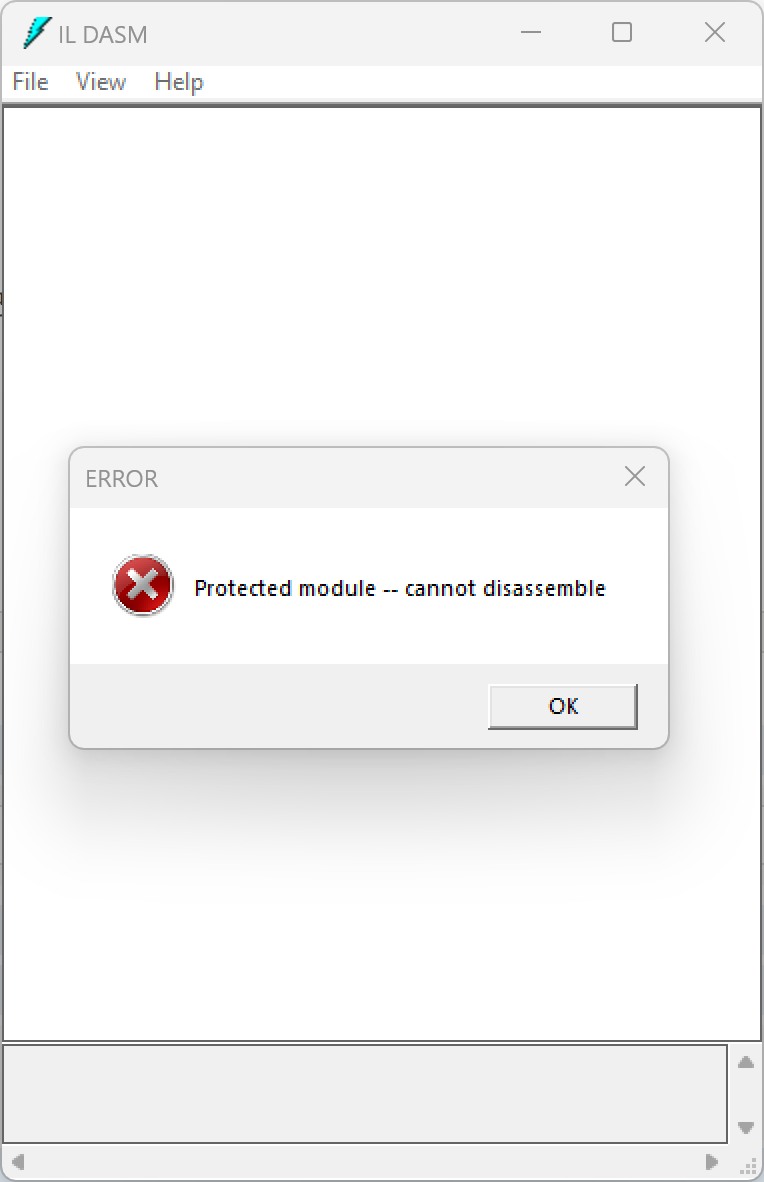
2. Anti-ILDasm
When enabled, the system's built-in ILDasm tool cannot decompile the encrypted DLL/EXE — it will report an error during decompilation.
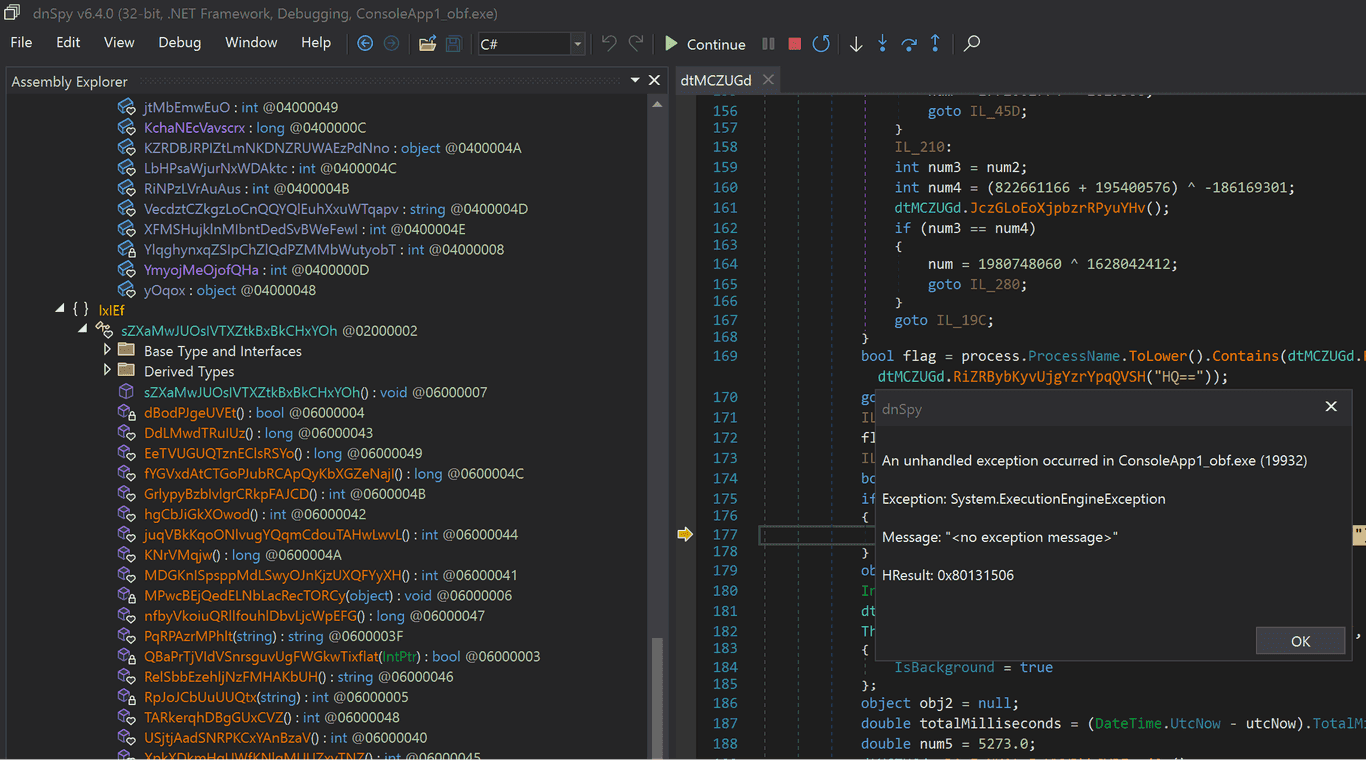
3. Anti-DnSpy
When enabled, if the encrypted program detects that it is being debugged by DnSpy, it will report an error and exit, preventing dynamic debugging by DnSpy.
4. Anti-Tamper (EXE only)
When enabled, the EXE cannot be modified. Any change to the EXE file will cause it to fail to run.
5. Packing (EXE only)
When enabled, the EXE will be packed with a protective shell. The original program is encrypted and embedded inside the EXE, making it impossible for static decompilers to view any of the original code.
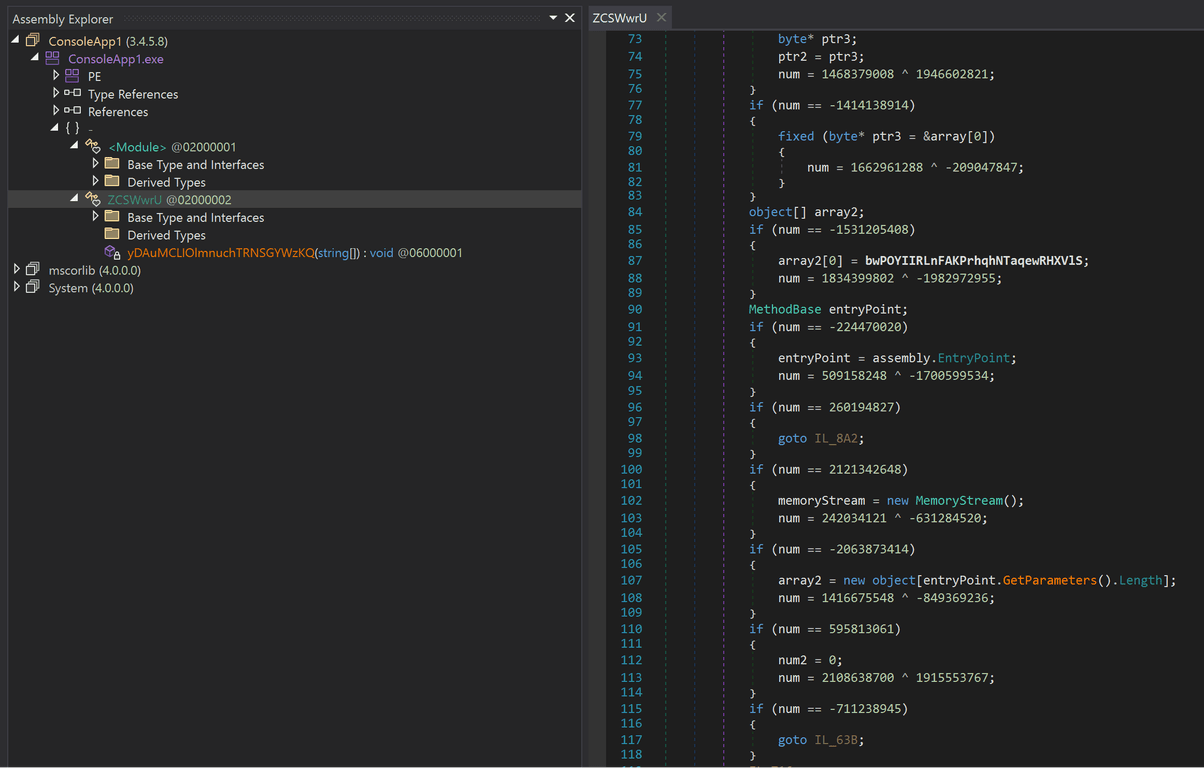
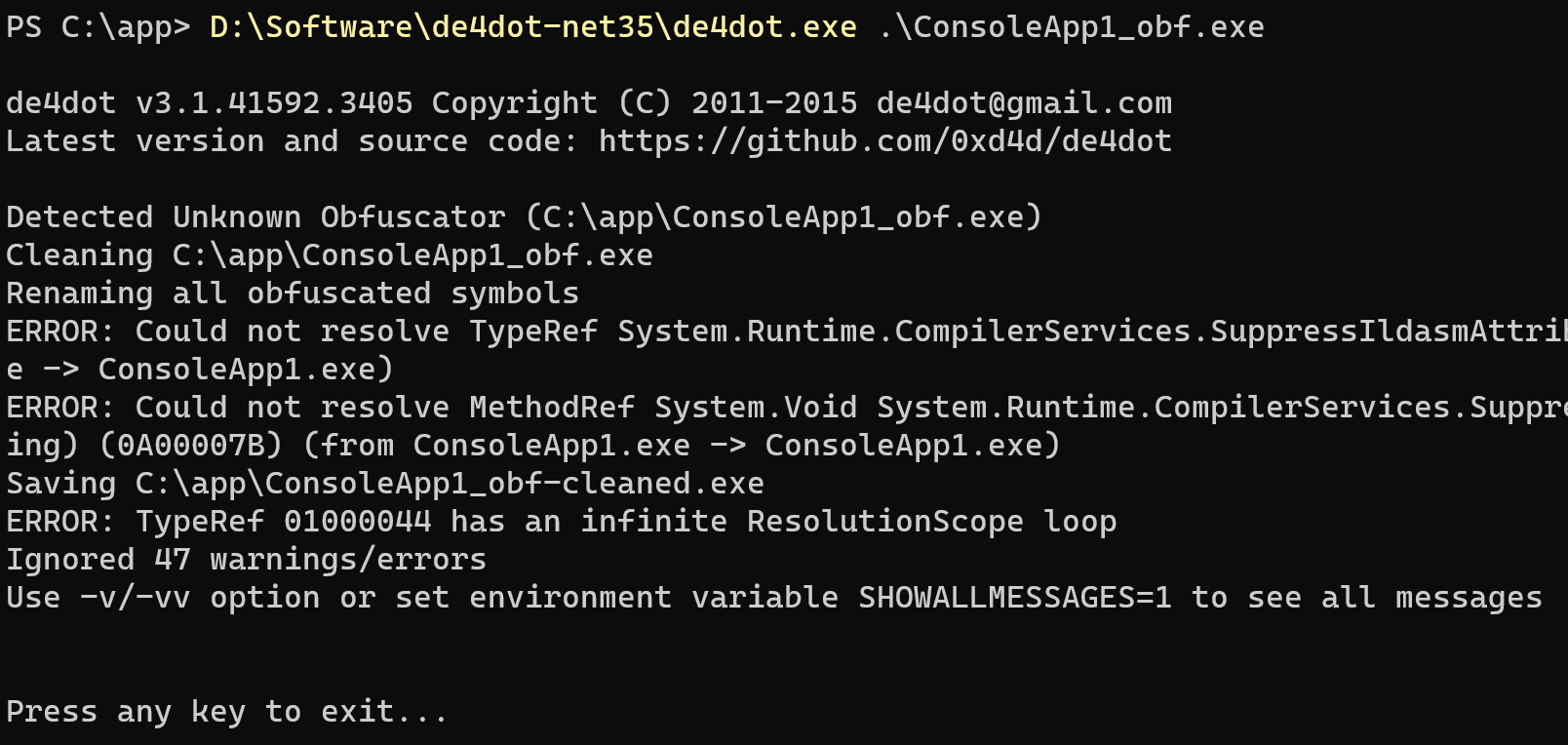
6. Anti-de4dot
When enabled, this option prevents de4dot from de-obfuscating the encrypted program, causing de4dot to report an error.
7. Anti-Breakpoint
When enabled, if the encrypted program detects that execution has halted for a long time at a certain point (indicating a breakpoint hit), it will report an error and exit.
8. Anti-ILSpy
When enabled, the processed EXE/DLL cannot be parsed by ILSpy.
9. Anti-VM
When enabled, if the program detects that it is running inside a virtual machine, it will automatically stop running.
Injection Options
1. Junk Fields
When enabled, multiple useless fields are injected into the encrypted program to interfere with decompilers and make the decompiled code harder to read.
2. Junk NOPs
When enabled, multiple NOP instructions are injected into the encrypted program's code, making the decompiled IL code harder to read.
3. Junk Methods
When enabled, multiple useless methods are injected into the encrypted program to interfere with decompilers and make the decompiled code harder to read.
4. Junk Types
When enabled, multiple useless types are injected into the encrypted program to interfere with decompilers and make the decompiled code harder to read.
5. Junk Strings
When enabled, multiple useless strings are injected into the encrypted program to interfere with decompilers and make the decompiled code harder to read.
Obfuscation Options
1. Assembly Info Obfuscation
When enabled, the file information of the encrypted program is obfuscated — including the internal name and Assembly metadata.
2. Boolean Obfuscation
When enabled, boolean values are obfuscated and converted into hard-to-recognize primitive types.
3. Timestamp Obfuscation
When enabled, the timestamp of the encrypted file is modified.
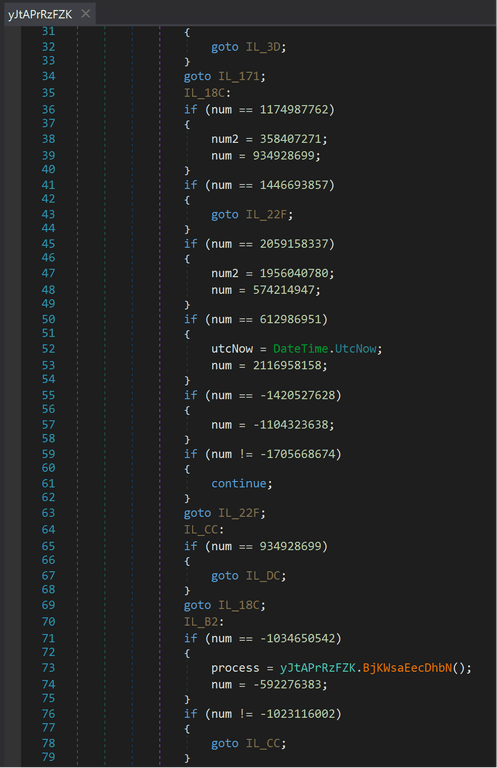
4. Control Flow Obfuscation
When enabled, instructions in the encrypted file are reordered, causing the program to make multiple jumps internally, making it difficult for static analysis to understand the program's intent.
5. String Encryption
When enabled, strings in the program are encrypted, effectively preventing static analysis from pinpointing key code locations.

6. DOS Header Obfuscation
When enabled, the DOS header of the EXE file is modified into an unrecognizable string.
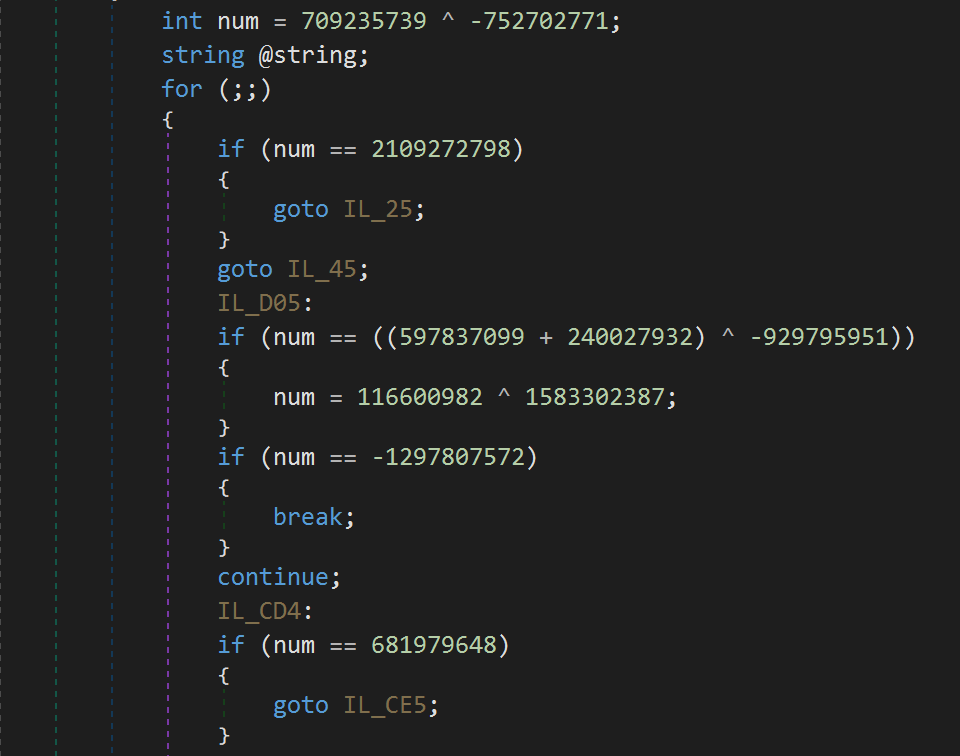
7. Integer Obfuscation
When enabled, integer values are obfuscated — turning simple numbers into complex arithmetic expressions. Combined with control flow obfuscation, this provides stronger protection.
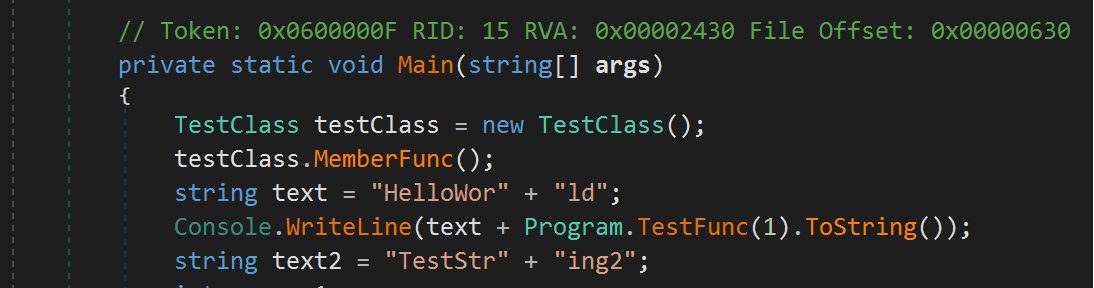
8. String Splitting
When enabled, strings are split — a single complete string is broken into multiple concatenated parts.
9. Call Obfuscation
When enabled, method calls no longer use the method name directly, but instead use the internal function token, making it difficult for static analysis to determine which function is being called.

10. String Hiding
When enabled, strings are encrypted and stored in native functions. Decompilers cannot retrieve their actual values.

11. Integer Hiding
When enabled, integers are encrypted and stored in native functions. Decompilers cannot retrieve their actual values.
12. Method Body Hiding
When enabled, method bodies are encrypted. Decompilers will be unable to view the encrypted method bodies.
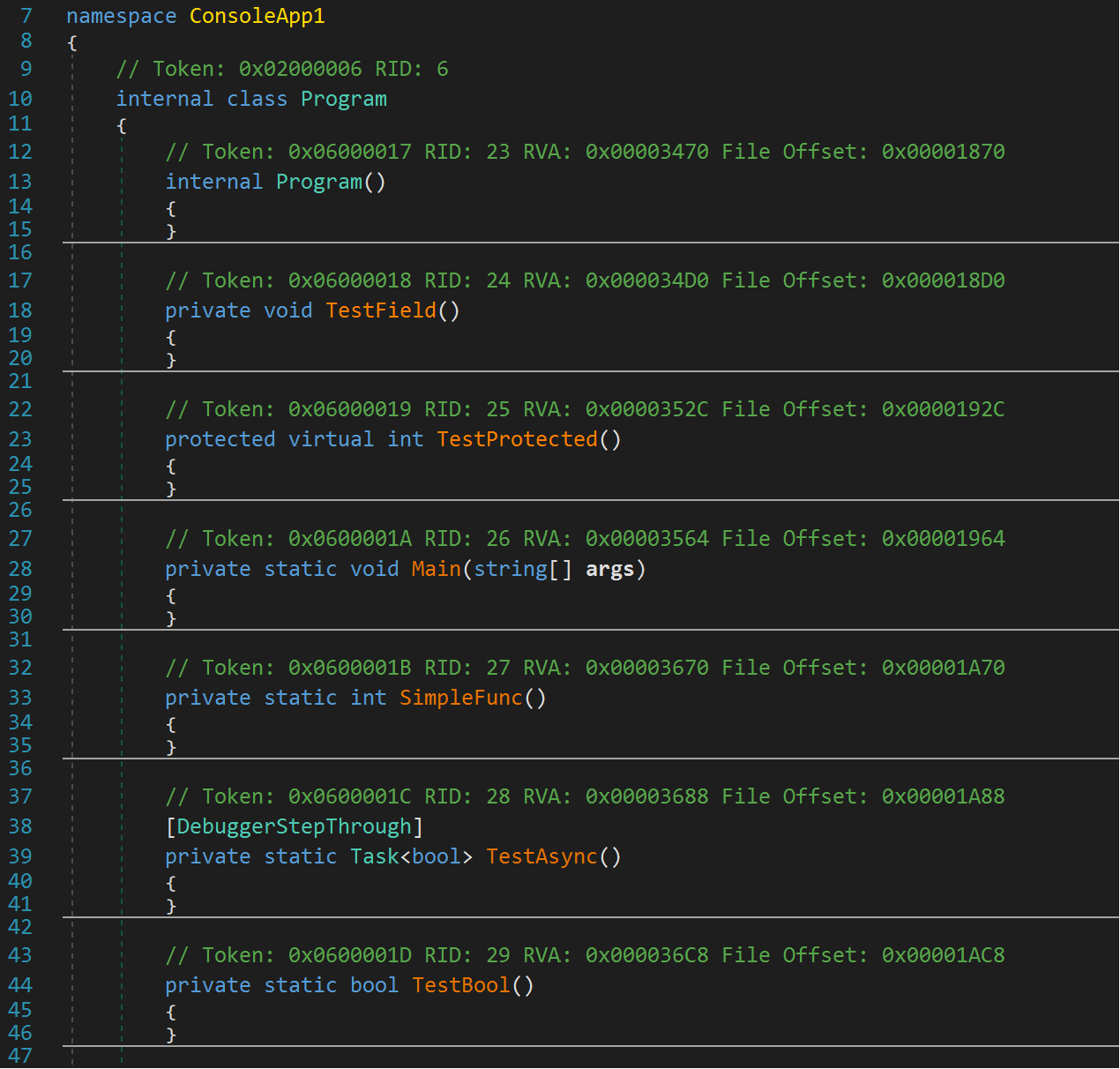
13. Reference List Obfuscation
When enabled, the reference list is obfuscated, making the decompiled reference list difficult to understand.
14. Decimal Obfuscation
When enabled, decimal values in the code are encrypted and stored — decompilers cannot directly recover the decimal values.
15. Proxy Call Obfuscation
When enabled, method calls are nested through multiple function layers, making it hard to statically analyze the code's meaning.
16. Async Obfuscation
When enabled, parts of the code are converted to asynchronous call patterns, making reverse analysis more difficult.
17. Invalid Method Body Obfuscation
When enabled, invalid instructions are added to methods, preventing some static analysis tools from correctly parsing the method internals.
18. Nativify EXE
When enabled, the EXE is converted into a native program. C# decompilers will be unable to analyze any IL code inside it.
19. Encrypt Resource Files
When enabled, resource files embedded in the program are encrypted. Decompilers will be unable to view the resource file contents.
Rename Options
Rename Modes
Different rename modes apply corresponding naming patterns to functions, types, fields, etc.:
Alphanumeric Mode
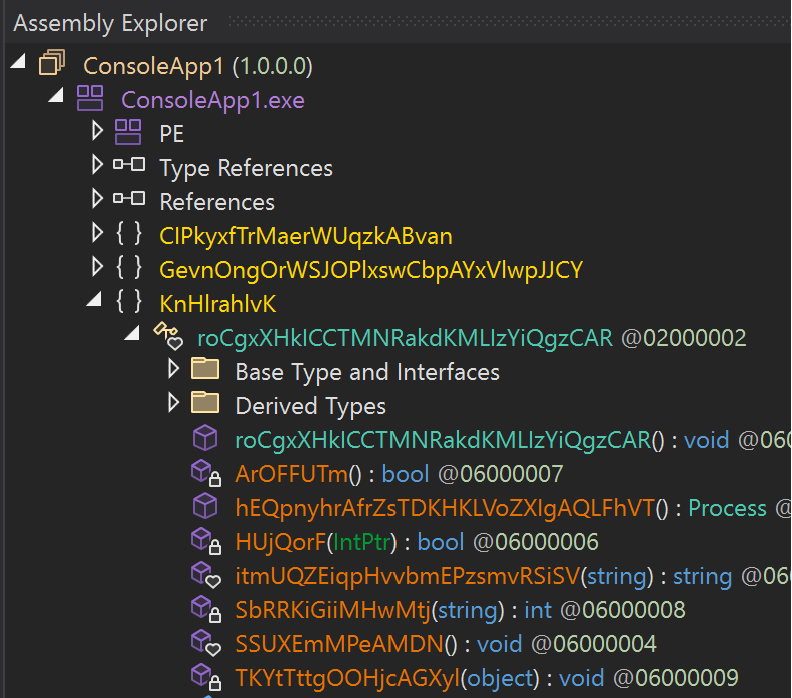
UUID Mode
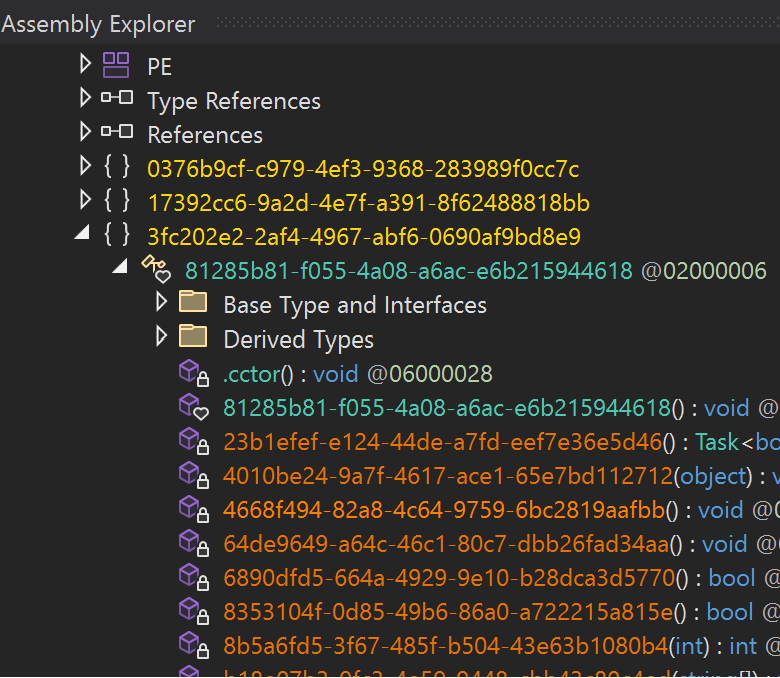
Special Characters Mode
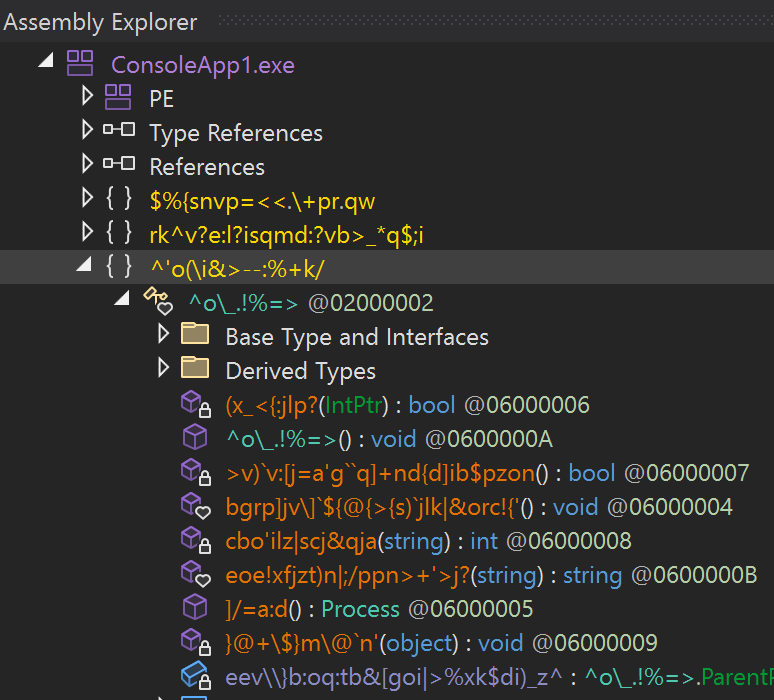
Base64 Mode
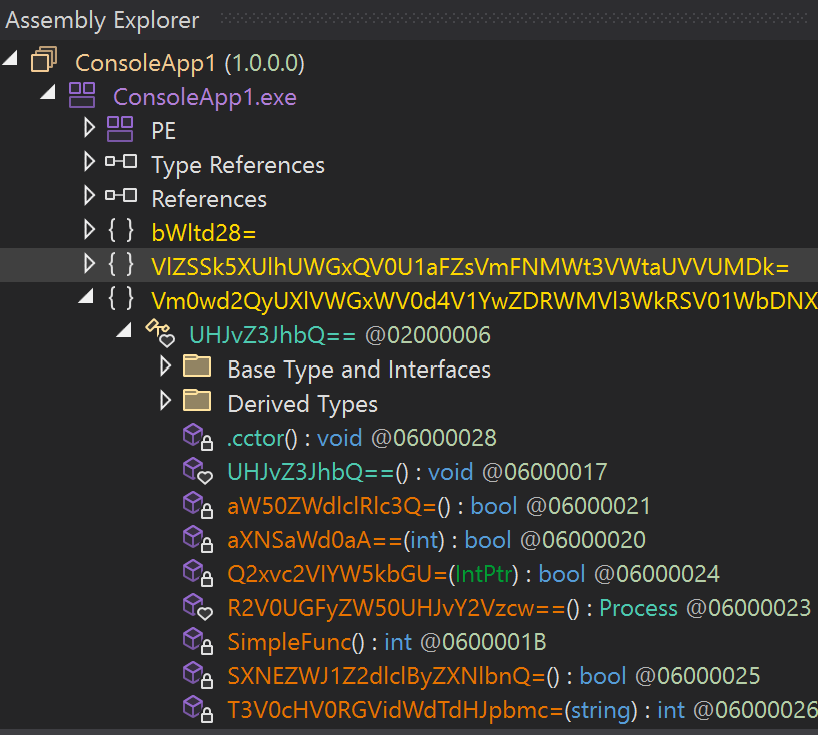
English Words Mode
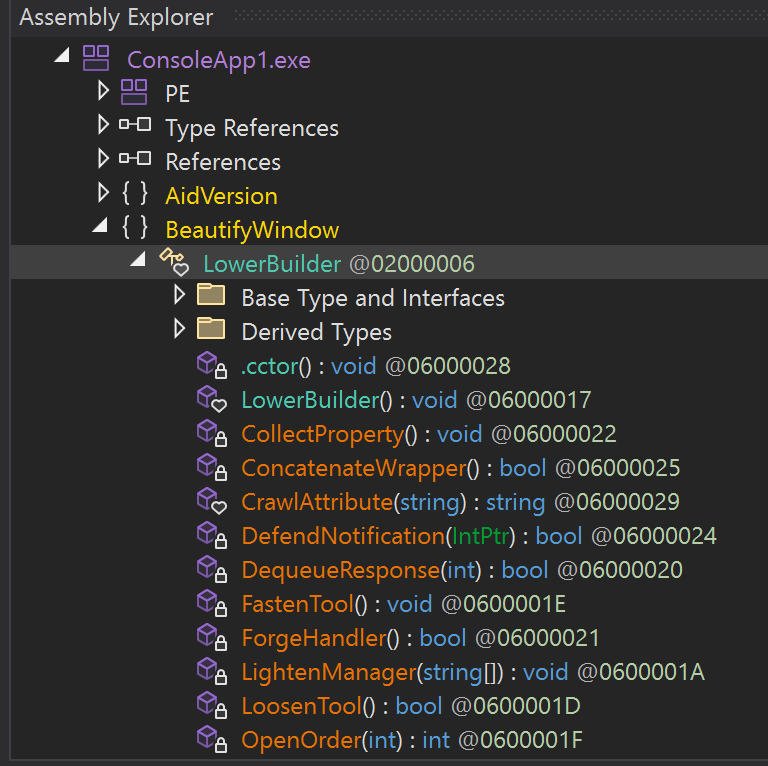
Rename Targets
- Module Rename — When enabled, renames the global Module object
- Field Rename — When enabled, renames fields inside classes
- Method Rename — When enabled, renames methods in the program
- Namespace Rename — When enabled, renames namespaces
- Parameter Rename — When enabled, renames method parameters
- Type Rename — When enabled, renames types in the program
- Assembly Rename — When enabled, renames the Assembly name of the program (added in v1.4.5)
Random Seed (added in v1.4.5)
You can set a random seed so that the same EXE/DLL produces identical obfuscation results on every run with the same seed — useful for troubleshooting.

The seed accepts letters and numbers.
Ignore List
The ignore list lets you specify functions or types that should not be obfuscated. Entries in the list will be skipped entirely.
For example, given the following code:
using System;

namespace ConsoleApp1
{
    internal class TestClass
    {
        internal TestClass()
        {
            new Program();
        }

        internal int MemberFunc()
        {
            int a = 1;
            a++;
            return a;
        }
    }
}
To exclude MemberFunc() from obfuscation, add one of the following entries to the ignore list (all three forms are valid):
ConsoleApp1.TestClass.MemberFunc
or
TestClass.MemberFunc
or
MemberFunc
The first form is the most precise and avoids accidentally ignoring same-named methods in different namespaces or classes.

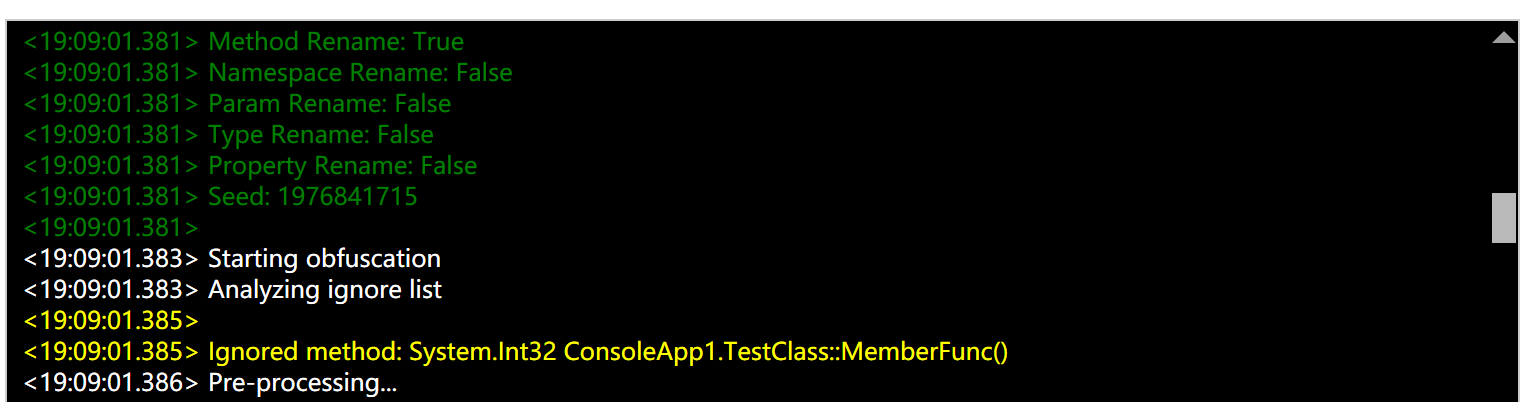
In the processing log, you will see the corresponding function marked as ignored — it will not be processed by any obfuscation option and will remain unchanged.
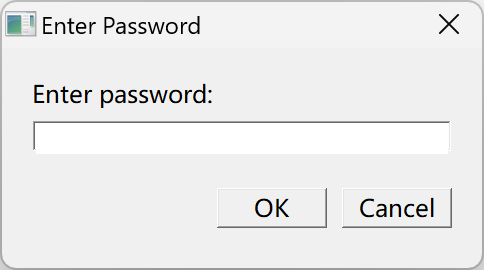
Password Protection (added in v1.4.5)
Password protection adds a launch password to a C# program. The correct password must be entered each time the program is run.
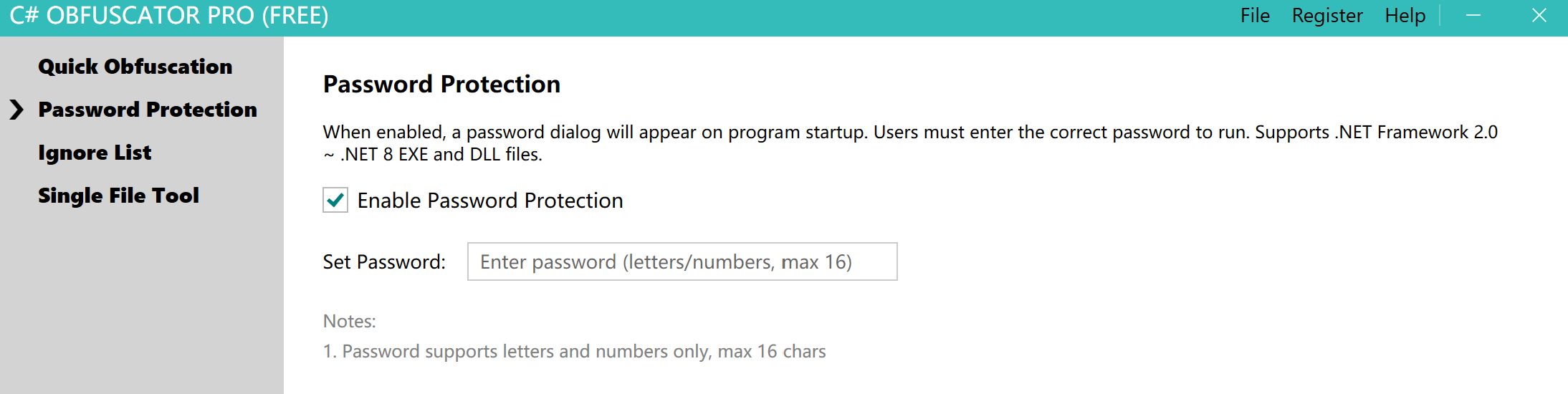
For example, using the settings above on a WPF program — after obfuscation, opening the WPF program will prompt the user for the correct password before it can run.